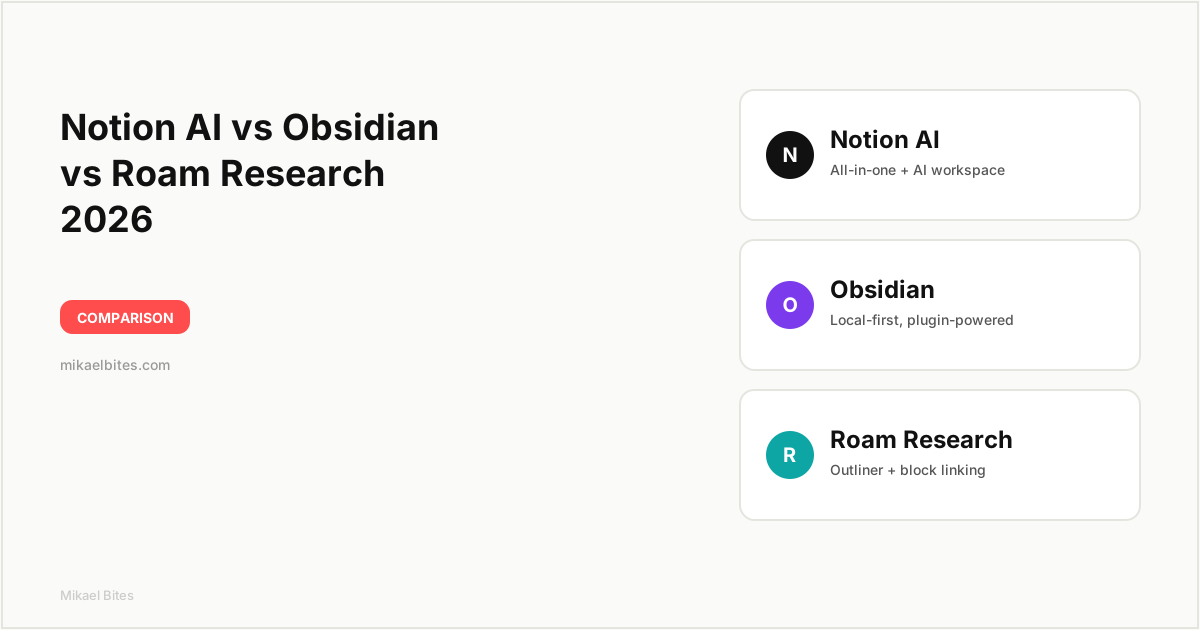
In the Notion AI vs Obsidian vs Roam Research matchup, Notion AI wins if you want one connected workspace for notes, docs, and databases with AI baked in. Obsidian wins if you want full ownership of your notes as local markdown files, plus the deepest plugin ecosystem. Roam Research wins for pure outliner-style thinking and bidirectional linking, but it's the priciest and the least actively developed of the three.
Quick Comparison Table
| Feature | Notion AI | Obsidian | Roam Research |
|---|---|---|---|
| Starting price | Free (AI add-on ~$10/user/month) | Free (Sync add-on $8/month) | $15/month |
| Built-in AI features | Yes (Q&A, writing, autofill) | No (plugin-based) | Limited |
| File storage | Cloud (Notion servers) | Local markdown files | Cloud (Roam servers) |
| Bidirectional linking | Basic | Yes, plus graph view | Yes, block-level |
| Plugin / extension ecosystem | Limited (integrations only) | Huge (community plugins) | Small |
| Offline access | Limited | Full | Limited |
| Best for | Teams and all-in-one workspaces | Privacy-focused personal knowledge management | Outliner-style thinkers and researchers |
Overview: Notion AI
Notion built its reputation as an all-in-one workspace — docs, wikis, databases, and project boards in a single tool — and Notion AI is layered on top of that as a paid add-on. It's not a separate app; it's a set of AI features woven into the editor you're already using for everything else.
I use Notion AI most for turning messy meeting notes into structured summaries and for autofilling database properties, like tagging a batch of content ideas by category without doing it manually row by row. The Q&A feature, which lets you ask questions about your own workspace and get answers pulled from your existing pages, is the standout for anyone using Notion as a second brain for a business or a blog like this one.
The tradeoff is that Notion AI is genuinely useful only if you're already committed to Notion's structure — pages, databases, and blocks. If you just want a place to dump quick notes and link them together, Notion's flexibility can feel like overhead. But for anyone comparing Notion AI vs Obsidian vs Roam Research specifically because they want AI assistance without switching to a dedicated writing tool, Notion AI is the most complete option out of the box.
Overview: Obsidian
Obsidian takes the opposite approach from Notion. Instead of a cloud-based all-in-one workspace, it's a local-first markdown editor that stores every note as a plain text file on your own device. There's no proprietary format and no server lock-in — you can open your entire vault in any text editor if you ever want to leave.
What makes Obsidian stand out is its plugin ecosystem. Community plugins add features Obsidian doesn't ship with out of the box, including AI-powered ones like Smart Connections and Text Generator, which bring ChatGPT-style assistance into your notes without forcing you into a single vendor's AI. The graph view, which visually maps how your notes link together, is still one of the best tools I've used for spotting connections between ideas you wrote weeks apart.
The cost of that flexibility is setup time. Obsidian ships close to bare — you're expected to install plugins and build your own system, which is either a feature or a frustration depending on how much you enjoy tinkering. If you've read my note on how AI writing tools compare for structured content, you'll recognize the pattern: Obsidian rewards people willing to configure their tools, and punishes people who just want something that works immediately.
Overview: Roam Research
Roam Research popularized the "networked thought" style of note-taking before most of its competitors existed. Its core idea is the outliner: every note is a bulleted list, and every bullet (called a block) can be referenced and reused anywhere else in your database. Daily notes are the default entry point, which nudges you toward capturing thoughts as they happen rather than filing them into folders.
I've used Roam mainly for research-heavy work — reading notes, literature reviews, and long-running projects where I need to trace how an idea evolved across dozens of sessions. Block references and the "unlinked references" panel, which surfaces mentions of a page you haven't manually linked yet, are genuinely useful for this kind of work in a way neither Notion nor Obsidian fully replicates.
Roam's downside in 2026 is momentum. Development has slowed compared to Notion and Obsidian, both of which ship new features constantly. Its AI features are minimal compared to Notion AI, and its plugin ecosystem is a fraction of Obsidian's. For a tool that costs more than either competitor, that's a hard sell unless you're specifically drawn to its outliner-first workflow.
Features Head-to-Head
AI Capabilities
Notion AI wins this category clearly. It's built into the core editor, handles summarization, translation, Q&A across your workspace, and database autofill without any setup. Obsidian gets AI functionality through community plugins, which work well but require you to bring your own API key and do some configuration. Roam's native AI features are the thinnest of the three, mostly limited to basic query assistance.
Bidirectional Linking and Graph View
This is Obsidian and Roam's home turf. Both were built around the idea that notes should link to each other automatically, and both offer a visual graph of those connections. Roam's block-level references are slightly more granular — you can reference a single bullet point, not just a whole page. Notion supports backlinks too, but it's a bolted-on feature rather than the foundation of the product, and it shows.
Customization and Plugins
Obsidian wins by a wide margin. Its community plugin library numbers in the thousands, covering everything from spaced-repetition flashcards to Kanban boards to custom AI integrations. Notion has integrations but no true plugin system — you're limited to what Notion builds natively. Roam has a smaller plugin community, useful but nowhere near Obsidian's scale.
Data Ownership and Privacy
Obsidian wins here too. Your notes live as local files on your device by default, and even with Obsidian Sync enabled, the files remain accessible outside the app. Notion and Roam both store your data on their servers, which is more convenient for cross-device access but means you're trusting a third party with everything you write. If data ownership is your main concern in the Notion AI vs Obsidian vs Roam Research decision, this is the deciding factor.
Collaboration
Notion wins decisively. It was built for teams from day one — shared workspaces, comments, permissions, and real-time editing are all first-class features. Obsidian added collaboration through paid add-ons and plugins, but it's clearly secondary to its personal-use design. Roam supports shared graphs but with a smaller feature set than Notion's team tools.
Mobile Experience
Notion's mobile app is the most polished of the three, mirroring the desktop experience closely. Obsidian's mobile app works well but can feel slower with large vaults, especially ones with many plugins installed. Roam's mobile experience is the weakest — usable for quick capture, but not built for extended writing sessions.
Pros and Cons
| Tool | Pros | Cons |
|---|---|---|
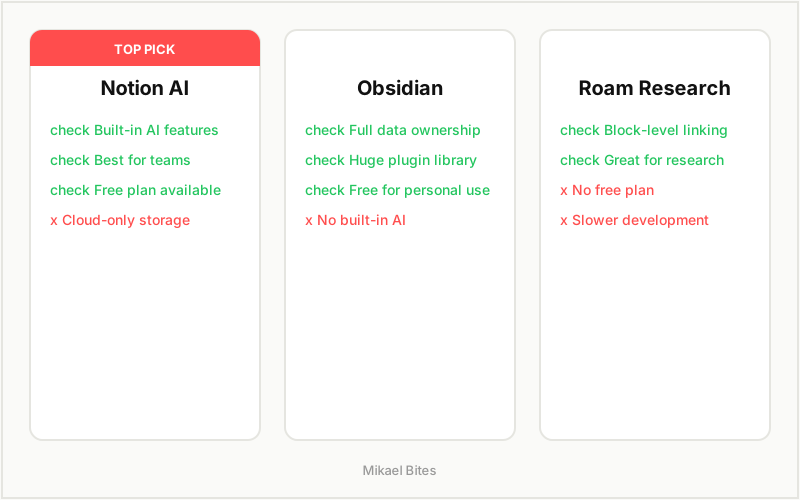
| Notion AI | All-in-one workspace, best AI features, excellent collaboration | AI is a paid add-on, cloud-only storage |
| Obsidian | Full data ownership, huge plugin ecosystem, works offline | No built-in AI, setup takes time |
| Roam Research | Best block-level linking, strong for research workflows | Most expensive, slower feature development |
Pricing Comparison
| Plan | Notion AI | Obsidian | Roam Research |
|---|---|---|---|
| Free tier | Yes (core Notion) | Yes (full app, personal use) | No |
| Entry paid plan | Plus plan ~$10/month | Sync add-on ~$8/month | $15/month |
| AI add-on cost | ~$10/user/month on top of plan | Free via community plugins (bring your own API key) | Included, limited features |
| Team plans | Business ~$15/user/month | Sync + Publish bundles | Custom team pricing |
Obsidian is the cheapest way to get a fully-featured personal note-taking system, since the core app is free forever and AI comes through free or low-cost plugins. Notion's free tier is generous for individuals, but the AI add-on pushes the real cost up if you want the features this comparison is actually about. Roam has no free tier at all, which is a tough ask next to two competitors that let you try the full product for nothing.
Which Is Better for Teams?
Notion AI is the clear choice for teams. Shared databases, permissions, comments, and now AI-assisted summarization of team docs make it the most complete option for a small business or content team working out of one workspace. Neither Obsidian nor Roam was designed with team collaboration as a primary use case, and it shows once you need more than two or three people working in the same space.
Which Is Better for Personal Knowledge Management?
Obsidian is the strongest pick for a personal, long-term knowledge base. Owning your notes as local files means you're never locked into a subscription to access years of writing, and the plugin ecosystem lets you build a system that fits exactly how you think. Roam is a close second for people who specifically want block-level referencing for research, but Obsidian's flexibility and lower cost make it the better default.
Which Is Better for Researchers and Writers?
For deep research work — literature reviews, long-form writing projects, tracing how ideas connect across months of notes — Roam's outliner and block references still do something neither competitor fully replicates. But I'd only recommend paying for Roam if you've tried Obsidian's outliner-style plugins first and found them insufficient. For most writers, Obsidian plus a couple of well-chosen plugins gets you 90% of Roam's benefit at a fraction of the cost.
My Verdict: Which Should You Choose?
Choose Notion AI if: You want one connected workspace for notes, docs, and team collaboration, and you're willing to pay for AI as an add-on. It's the most complete tool for small businesses and content teams.
Choose Obsidian if: You want full ownership of your notes, a massive plugin ecosystem, and you don't mind spending some time setting things up. It's the best value for personal knowledge management by a wide margin.
Choose Roam Research if: Your work is research-heavy and you specifically need block-level bidirectional linking. Just know you're paying a premium for a tool that's evolving more slowly than its two competitors.
For most Mikael Bites readers running a blog or a small content business, I lean toward Notion AI as the better starting point — the combination of AI features and team collaboration covers more of what a growing business actually needs day to day.
FAQs
Is Notion AI better than Obsidian? It depends on your priority. Notion AI has more built-in AI features and better collaboration, while Obsidian offers full data ownership and a far larger plugin ecosystem. Neither is objectively better — they're built for different workflows.
Does Obsidian have built-in AI like Notion? No. Obsidian doesn't ship with native AI features. You add AI capability through community plugins like Text Generator or Smart Connections, which typically require your own API key.
Is Roam Research worth the price in 2026? Roam is worth it mainly if you specifically need its block-level bidirectional linking for research-heavy work. For general note-taking, Obsidian offers similar linking features for less money, with active ongoing development.
Can I use Notion AI, Obsidian, and Roam Research together? Some people do — Obsidian for personal notes, Notion for team collaboration, and Roam for a specific research project. For most individuals, though, picking one and building a consistent habit matters more than the specific tool.
Which is the most private option: Notion AI, Obsidian, or Roam Research? Obsidian, by a clear margin. Your notes are stored as local files on your device by default, whereas Notion and Roam both store your data on their servers.
Does Notion AI cost extra on top of a Notion subscription? Yes. Notion AI is an add-on priced per user per month on top of whatever Notion plan you're already using, including the free plan.
This article contains affiliate links. I may earn a commission at no extra cost to you.